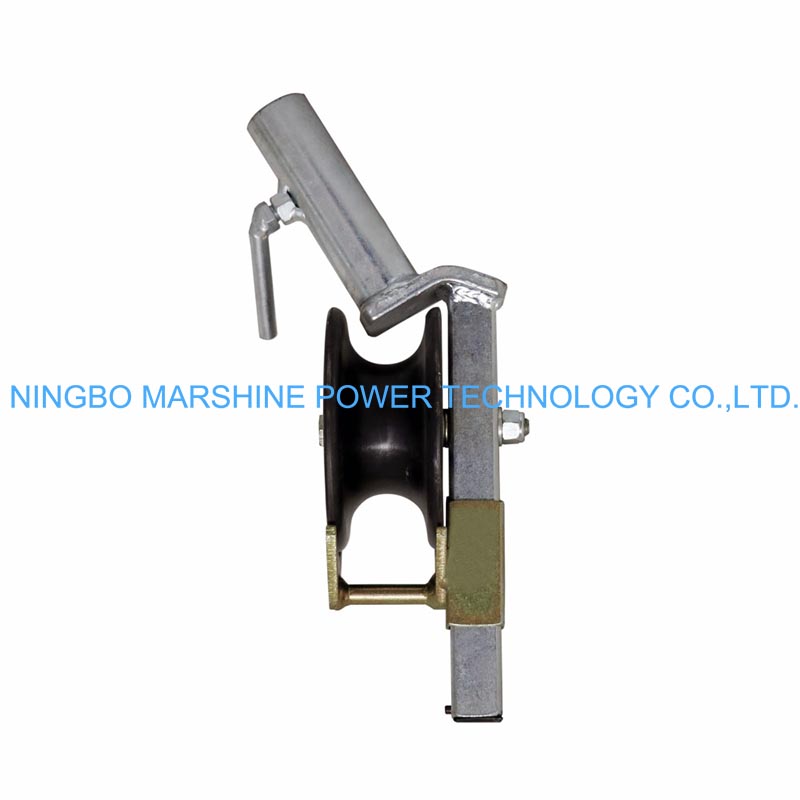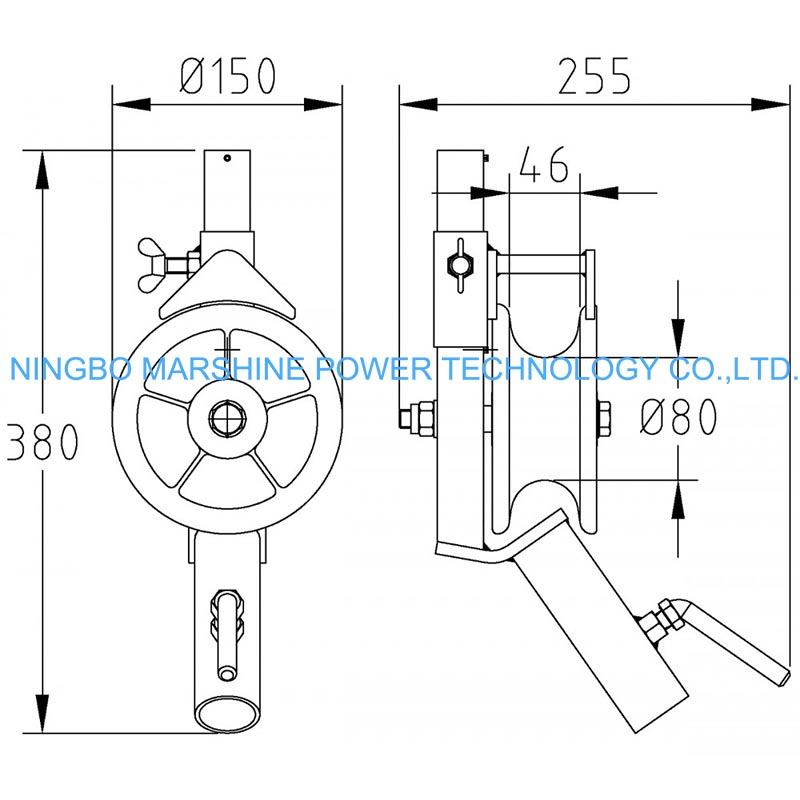
What Is MARSHINE Angled Cable Mounting Roller?
The MARSHINE Angled Mounting Roller Cross-Arm Cable Mount Pulley is a must have tool for overhead cable and wire installation especially for electrical and telecommunication lines. Rugged and efficient, the block and tackle pulley system can guides cables over cross-arms, rolls smoothly on line and protects the cable from damage during stringing. The unique angled design of this pulley makes it ideal for pulling cables at different angles, and minimizes friction and cable stretching in confined areas.
So How To Use MARSHINE Cross-Arm Mount Pulley Properly?
Preparation for Assembly
In order to have a better working MARSHINE Angled Mounting Roller Cross-Arm Cable Mount Pulley, you not only need to own a high quality product, but also make yourself well-prepared for its installation:
Make sure to check the frame and roller for the pulley for any signs of damage or wear. Look for dirt, rust or broken parts that could influence its working.
Make sure that the roller can spin without any barriers, and check that the size of the pulley will fit the size of the cable you want to use.
The size of the groove of the pulley shall be same as the diameter of the cable to avoid thickness friction and have can be worn.
You also need to determine the installation site where the pulley is to be installed. The pulley should be installed where you would expect the cable to run through, typically on cross-arms or other supports.
Don the appropriate PPE (gloves, safety glasses, and hard hats). Prepare for the proper training and equipment to enter this type of work and elevation with your team.
Pulley Installation
After you get the pulley and workroom, then you could:
Align the Pulley
First of all put the pulley on the cross-arm or the pole you wish to let the cable run. With the angled mounting, it can easily be adapted for multiple cable routes.
Make sure that the angle is correct so that the cable will run through the roller without bending sharply. The pulley angle is guiding the cable through bends, reducing tension the risk of damage.
Fasten the pulley to the cross arm with the clamps or hardware that came with the pulley. Check that it has been tightened properly and that it will not shift when you are laying the cable.
Test for Alignment and Stability
Make sure it lines up with the cable route. That’s because the pulley is supposed to line up with the path of the cable to move the cable easily. Any misalignment will cause friction and friction may damage the cable. And also make sure the pulley housing is anchored and stable before moving on. The pulley must be firm against any movement that could disrupt during cable installation.
Running Cable Through the Pulley
The MARSHINE Angled Mounting Roller Cross-Arm Cable Mount Pulley is now in position, let's start running the cable through the system:
Lift And Guide The Cable
Lift the cable with a cable hoist or pulley and guide it into the roller groove. Because of the angled design of the pulley, the cable may be smoothly led around corners or bends.
Start The Process Of Installation
Pull the cable evenly through the pulley, with the assistance of a winch or cable puller if necessary. Keep a moderate tension on the cable so you don't over stress the cable or the pulley.
Monitor Progress Of The Cable
Make sure that the cable is running evenly through the pulley and that it is not experiencing any ROR (excessive friction or resistance). If the cable starts to bind or tracking off stop and adjust the pulley or cable line.
Route The Cable Through The Bends
When several pulleys are involved in your assembly, work the cable through one by one and ensure you are nudging the cable into the natural arc that these angled rollers rolls by using these tips.