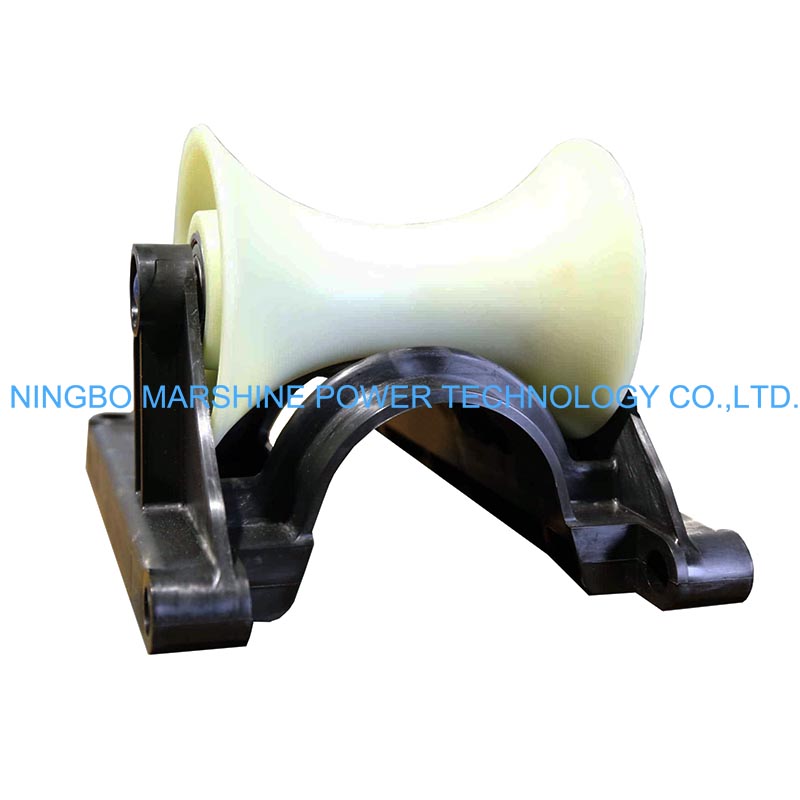
What Is MARSHINE Straight Line Bridge Style Cable Roller?
The MARSHINE MAR-SLR14P Straight Line Bridge Style Cable Roller is specifically designed to provide reliable cable guidance on straight cable routes. Its bridge-style frame keeps the cable centered throughout the pulling process, while the large 140 mm nylon roller reduces friction and allows the cable to move smoothly. Designed to accommodate cables up to 214 mm in diameter with a 3 KN load capacity, the roller combines durability with portability, weighing only 3 kg. Customers can choose between an industrial plastic frame or an oil-coated alloy steel frame, allowing the roller to meet different project requirements.
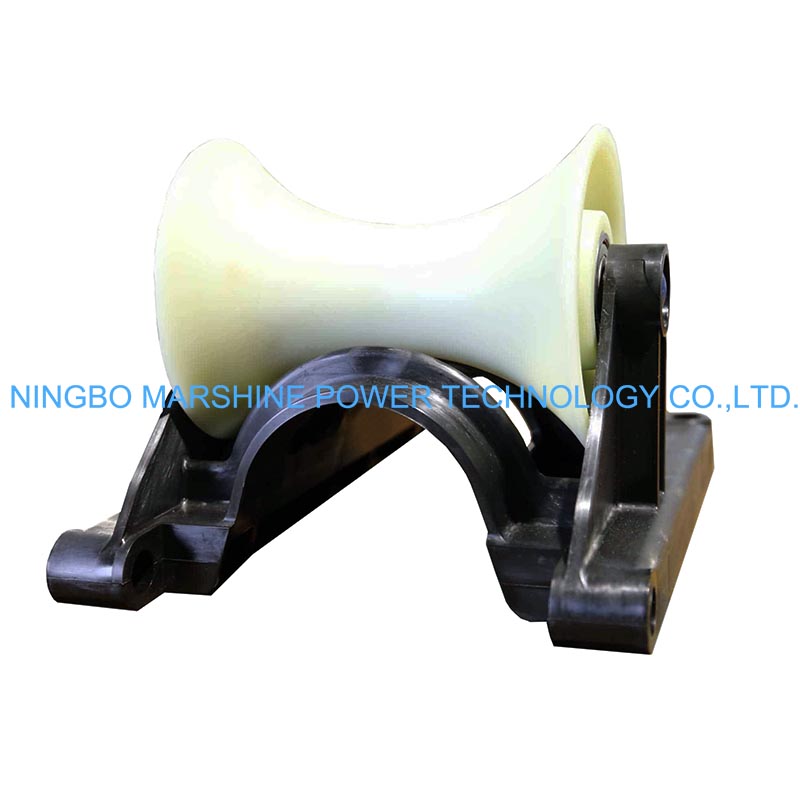
So How Can I Use The MARSHINE Bridge Style Cable Roller Correctly?
Inspect the Roller Before Use
Before every project, inspect your MARSHINE MAR-SLR14P Straight Line Bridge Style Cable Roller carefully. You need to check the following components:
Bridge-style frame.
Nylon roller.
Sealed roller bearing.
Roller shaft.
Fasteners.
Frame integrity.
To verify that the roller rotates smoothly, its frame is free from cracks or deformation, the sealed bearing operates without unusual noise, and the roller surface is clean and undamaged. Routine inspections help prevent unexpected interruptions during cable installation.
Prepare the Cable Route
Before positioning the roller, inspect the cable pulling route. Please remove any obstacles such as:
Loose stones.
Sharp objects.
Construction debris.
Mud accumulation.
Uneven ground that may affect roller stability.
Planning the cable path before installation allows the cable to move continuously with minimal resistance.
Position the Roller Correctly
Place the MARSHINE MAR-SLR14P Straight Line Bridge Style Cable Roller directly beneath the intended cable route. The roller should:
Sit securely on firm ground.
Be aligned with the cable pulling direction.
Allow the cable to remain centered on the roller.
Remain stable throughout the pulling operation.
For long cable installations, position multiple straight-line rollers at regular intervals to create a continuous low-friction pathway. The bridge-style frame helps maintain cable alignment while preventing lateral movement during pulling.
Position the Cable on the Roller
Carefully lift the cable and place it onto the center of the nylon roller. Before beginning the pull, confirm that:
The cable rests completely within the roller groove.
The cable does not contact the frame.
The cable is aligned with adjacent rollers.
No twisting or crossing occurs.
Begin Cable Pulling
Connect the cable to the pulling equipment and begin pulling gradually. Maintain:
A steady pulling speed;
Consistent cable tension;
Smooth cable movement;
Avoid sudden starts or abrupt stops, as these may increase cable tension and create unnecessary stress on both the cable and the roller. The 140 mm nylon roller rotates freely on its 20 mm sealed roller bearing, allowing the cable to roll smoothly rather than slide across the ground. This significantly reduces friction and improves installation efficiency.
Monitor During Installation
Throughout the pulling operation, observe the following:
Roller rotation;
Cable alignment;
Roller stability;
Cable tension;
Ground conditions;
Immediately stop the operation if:
The cable leaves the roller groove.
The roller shifts position.
The frame becomes unstable.
Debris blocks roller movement.
Excessive cable vibration occurs.
Continuous monitoring helps prevent cable damage and improves installation quality.
Relocate the Roller as Installation Progresses
Once the cable has passed a roller completely, move it further along the cable route. The MARSHINE MAR-SLR14P Straight Line Bridge Style Cable Roller’s lightweight 3 kg construction allows a single operator to relocate the roller easily. To reposition:
Lift the roller carefully.
Place it ahead of the cable pulling direction.
Align it with the remaining rollers.
Confirm stability before continuing.
This leapfrogging method reduces the total number of rollers required while maintaining efficient cable guidance.
Complete the Installation
After the cable reaches its final position:
Stop the pulling equipment.
Release cable tension gradually.
Inspect the installed cable for abrasion or damage.
Verify the cable remains properly positioned.
Remove the rollers only after confirming the cable is fully supported by its permanent installation system.
Clean and Maintain the Roller
Proper maintenance extends the service life of the MARSHINE MAR-SLR14P Straight Line Bridge Style Cable Roller. After each project:
Remove dirt and mud from the roller.
Clean the frame thoroughly.
Inspect the nylon roller for wear.
Check that the sealed bearing rotates smoothly.
Tighten any loose fasteners.
Store the roller in a dry environment.
The sealed bearing design minimizes maintenance while helping keep dust and moisture away from moving parts. If using the industrial plastic frame version, simply rinse off dirt and debris after use. The corrosion-resistant material requires very little maintenance and performs well in damp or chemically aggressive environments.