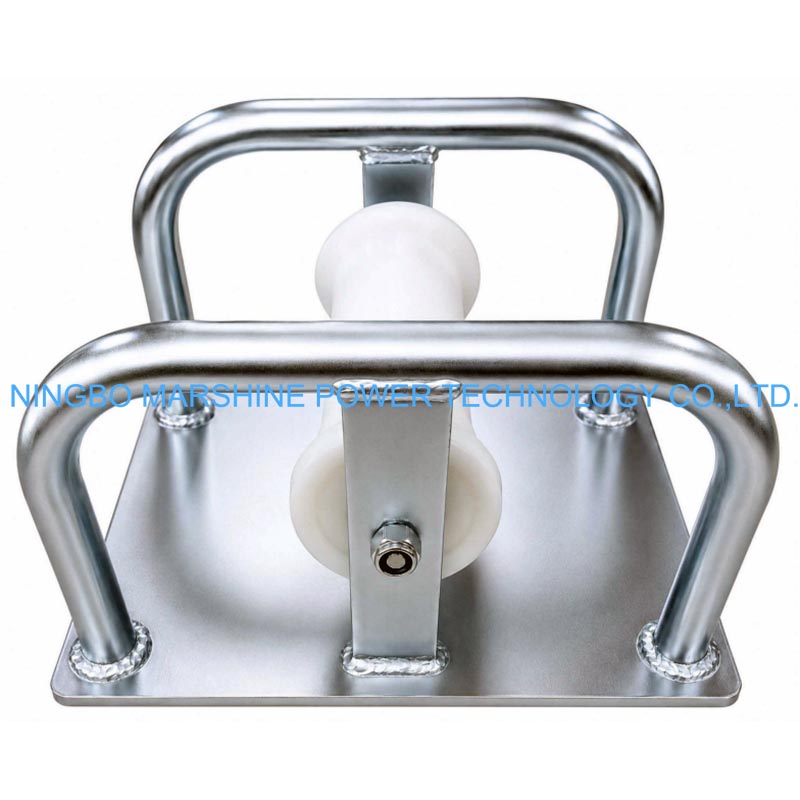
What Is MARSHINE Flat Type Sheet Metal Footed Cable Guiding Roller?
The MARSHINE MAR-DTM02 Flat Type Sheet Metal Footed Straight Cable Guiding Roller is designed to provide smooth and controlled cable guidance on straight cable routes. Its rigid sheet metal footed frame offers excellent stability on flat, solid surfaces, while the rotating roller minimizes friction and helps protect the cable during pulling operations. The fully galvanized body provides outstanding corrosion resistance for long-term outdoor use, and the roller is available in White nylon or Metal, allowing users to choose the most suitable material for different installation environments. With a maximum load capacity of 5 KN (500 kg), support for cables up to 160 mm in diameter, and a compact 5 kg design, the MAR-DTM02 is an ideal tool for utility contractors and cable installation professionals.
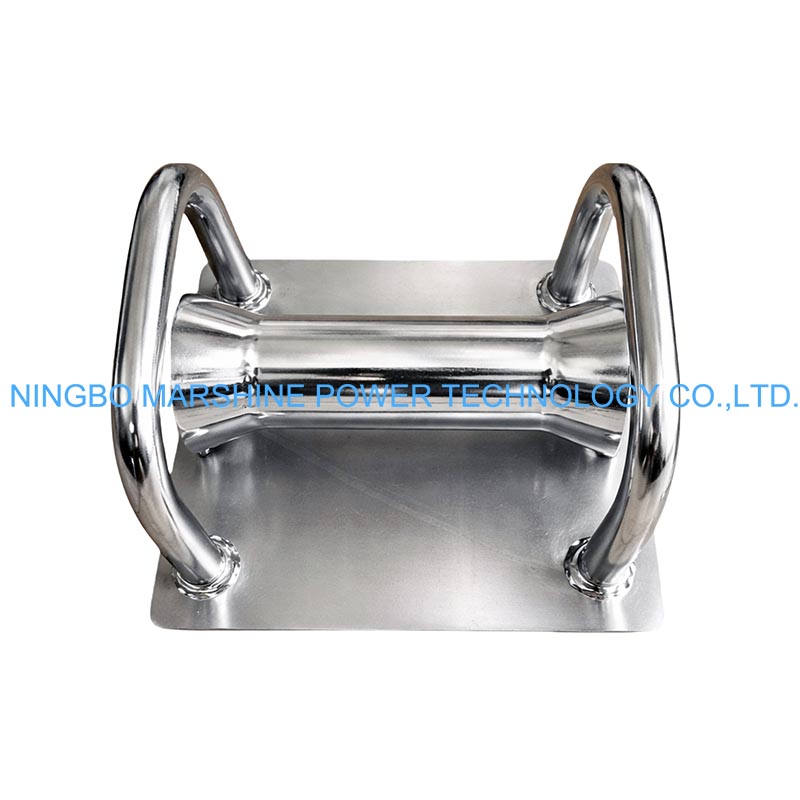
So How To Use It Properly?
Inspect the Roller Before Use
Before every installation, perform a complete inspection of the MAR-DTM02. Check the following components:
Sheet metal footed frame;
Roller surface;
Roller shaft;
Fasteners;
Galvanized coating;
Roller rotation;
Verify that:
The roller rotates freely.
The frame is not bent or damaged.
There are no loose bolts.
Dirt and debris have been removed.
Routine inspection helps prevent unexpected interruptions during cable pulling.
Prepare the Cable Route
Inspect the cable installation path before positioning the roller. Remove:
Loose stones;
Construction debris;
Sharp objects;
Mud accumulation;
A clean cable route allows the roller to function efficiently while reducing unnecessary cable wear.
Position the Roller Correctly
Place the MARSHINE MAR-DTM02 Flat Type Sheet Metal Footed Straight Cable Guiding Roller directly beneath the cable route. The roller should be positioned so that:
The cable passes through the center of the roller.
The frame rests securely on flat ground.
The roller remains stable during cable pulling.
The cable route remains straight.
The wide sheet-metal feet provide excellent stability and reduce the possibility of movement during operation, making the roller particularly suitable for paved surfaces, construction sites, and compact ground conditions.
Position the Cable on the Roller
Carefully lift the cable and place it onto the center of the roller. Before pulling begins, confirm that:
The cable sits correctly on the roller.
The cable does not touch the steel frame.
The cable aligns with the next roller in the route.
The cable is free from twisting.
Proper cable positioning minimizes side loading and allows the roller to rotate smoothly.
Begin Cable Pulling
Connect the cable to the pulling equipment and begin the operation gradually. Maintain:
Steady pulling speed.
Consistent cable tension.
Smooth cable movement.
As the cable moves, the rotating roller significantly reduces friction between the cable and the ground, making installation easier and helping protect the cable sheath. Straight-type cable rollers are specifically designed to provide stable and controlled cable payout along straight installation routes.
Monitor During Operation
Throughout the cable pulling process, monitor:
Roller rotation
Cable alignment
Frame stability
Pulling tension
Ground conditions
Continuous observation helps maintain safe and efficient cable installation.
Move the Roller Along the Route
As the cable progresses, relocate rollers that are no longer supporting the cable. To reposition:
Wait until the cable has passed completely.
Lift the lightweight 5 kg roller.
Place it further ahead on the installation route.
Align it with the remaining rollers.
The compact design makes relocation quick and easy, reducing downtime during long cable installations.
Clean and Store the Roller
After completing the installation:
Remove dirt and mud from the roller.
Clean the galvanized frame.
Inspect the roller for wear.
Check that the roller rotates smoothly.
Store the equipment in a dry location.
The fully galvanized steel frame provides excellent protection against corrosion, ensuring reliable long-term performance in outdoor environments.