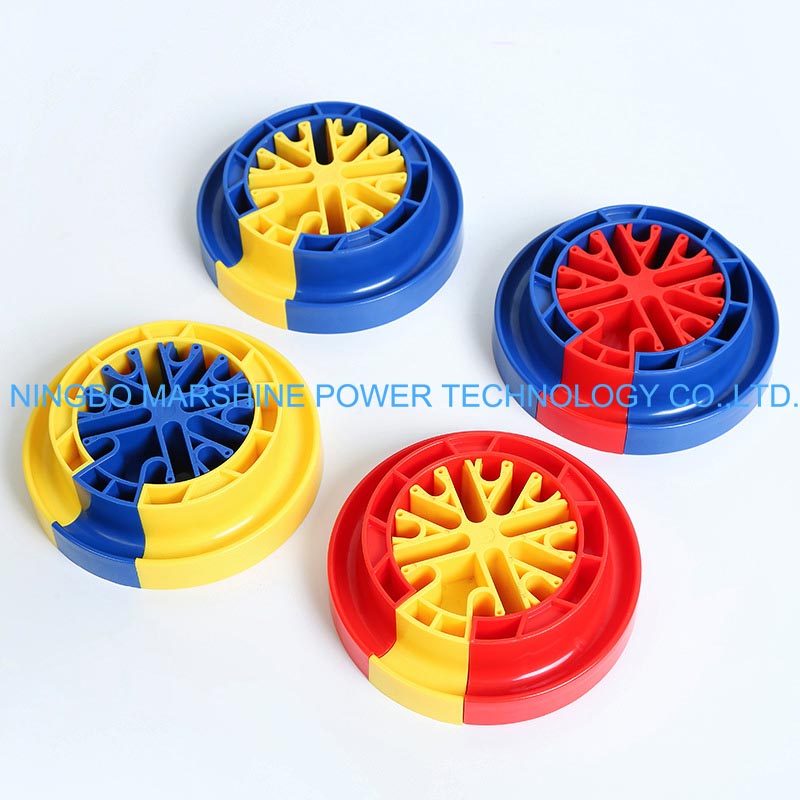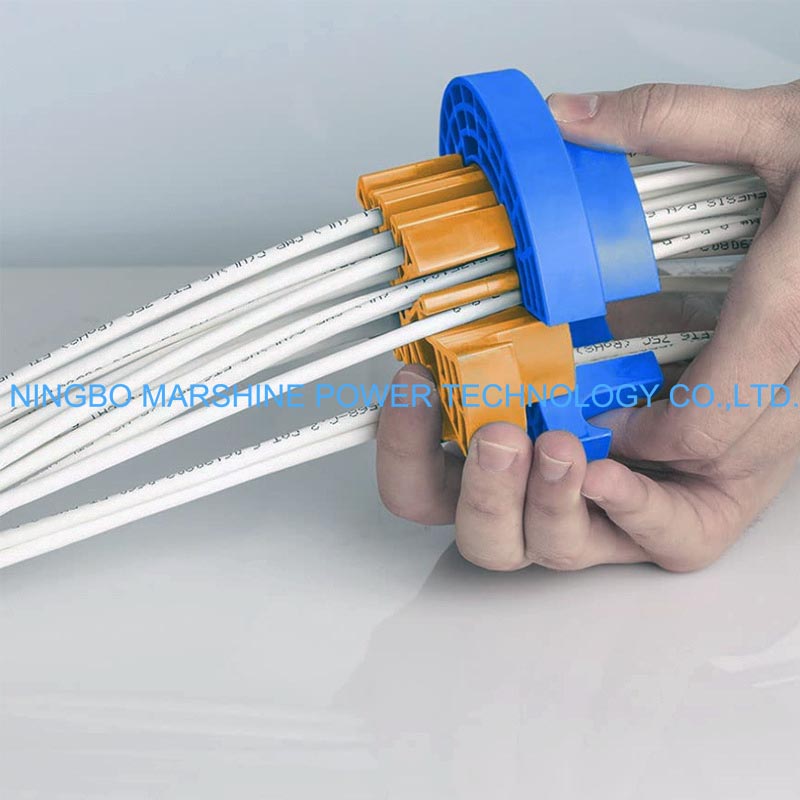
What Is MARSHINE Network Cable Comb Dresser?
Our MARSHINE Network Cable Manager Cable Comb Dresser Ethernet Cable Wire Comb is a necessary tool for those networks cables or Ethernet wire workers. This great gadget aids in arranging cables tidily to avoid interlacing and can also help minimize dust and improve air flow in data centers, home offices, or anywhere cables need to be managed. Not only with cable comb dresser you can keep your cables neat and organized, but also minimize signal interference, physical damage and the general wear and tear on your cables.
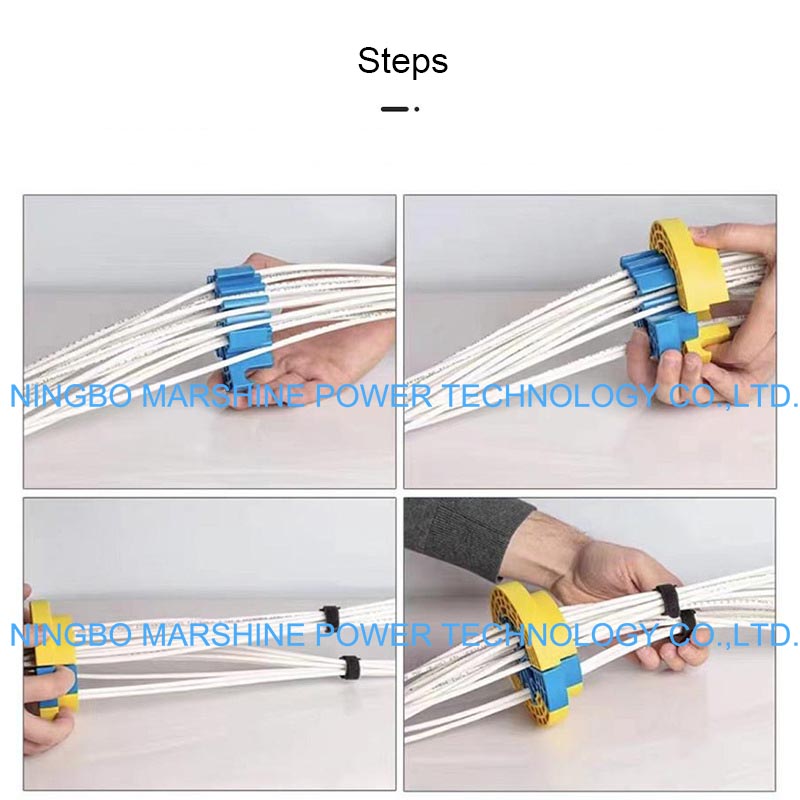
So How Can We Use MARSHINE Network Cable Comb Dresser Properly?
Line Up the Cables
Line up your cables side by side: Lay the cables flat and parallel to each other from side to side in the direction you want to tidy them up.
Straighten out: Tug lightly to separate any tangled wires. If you’re dealing with Ethernet cables, you may also want them all to be facing the same direction from left to right, so to speak, to make things look a little more orderly when packaged.
Pass Cables Through the Comb
Start from one end: Begin at one end, slide a handful of cables into the cable organizer, enter ten at maximum.
Run your cables through your MARSHINE Network Cable Manager Cable Comb Dresser Ethernet Cable Wire Comb: When it comes to the cable comb, you need to use it to take the strain off cables. Then add each cable into the comb, which separates out the cables evenly.
Space cables: Make any necessary tweaks so that each cable inside the comb is evenly and properly spaced out.
Secure the Cables
Clamp or lock cables: In some cases there are associated cable clips or clasps that allow you to fix the cables in place after you arrange them. It stops them from slipping out of place. Use cable ties – For added security, you can also tie the cables together with some cable ties at an arm’s length or so in the length of the cables. This will help you keep the cables from moving around or coming loose as time goes by.
Final Adjustments
Test the alignment: When you have all the cables placed, step back and observe the alignment. Adjust the cables slightly if needed, so that they are aligned and the spacing between cables is equal.
Cut off the extra ties: Trim off any extra length from the cable ties if you used some to bunch up your cables.